
How to Book a Tee Time at PARennial Golf - West Loop, Chicago
Ready to play at our West Loop facility? Here’s how to make your booking and navigate our unique entry process so you can jump right into the game on our Trackman simulators.
Thinking of spending some quality time at our West Loop facility? Here’s your guide to making a booking and getting the most out of your session. With our streamlined booking system, you’ll be up and running in no time – we’re open 24/7 for members, so there’s always a time that works.
Your Step-by-Step Booking Guide for West Loop
- Download the PARennial Golf App: If you haven’t already, download our app and set up an account. This app is your one-stop shop for booking, facility access, and managing all your sessions.
- Set Up Payment: Add your preferred payment method in the app to make the booking process smooth and secure.
- Pick Your Tee Time: Browse our available tee times in the app and select one that fits your schedule. With 24/7 access for members, you’re free to book an early morning session, a midday practice, or a late-night round.
- Add Guests (Optional): Want to bring friends? During booking, you can add up to three additional players. Guests are required to be invited to your booking, you can learn more here. Once they accept their invite, they'll have independent access to the facility.
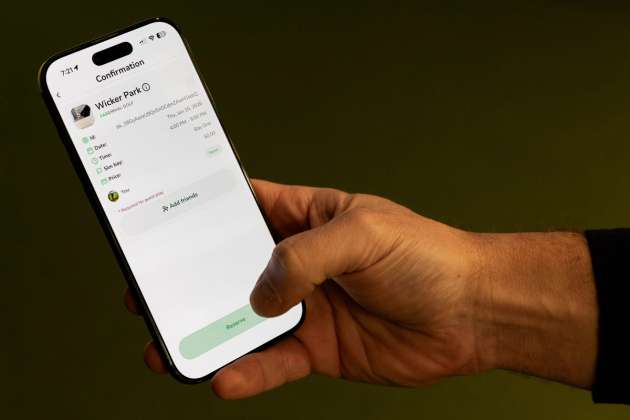
- Confirm Your Booking: Double-check all details before confirming. If you’re a member, your monthly free bookings will automatically apply. Otherwise, you’ll see the standard rate for your session.
- Manage Your Booking: Head to the Activities screen in the app to view, edit, or cancel your booking if plans change. You can also add or remove guests here.
Arriving at West Loop: Access and Entry
When it’s time for your session, here’s how to get into the West Loop facility:
- Show Up a Few Minutes Early: Arriving 10 minutes before your scheduled session gives you time to get comfortable and ready to play.
- Unlock the Doors: Open the app, tap the lock icon, and you’ll see a prompt with two options for access – one for the building entrance and another for the facility door. Tap each as you reach the respective door to unlock and enter.
- Kick Off Your Session: Once inside, make your way to your simulator bay, select your booking in the app, and tap “Play” to unlock your bay. Now you’re set to enjoy your session on our Trackman indoor golf simulators.
Tips for Your Best Experience
- Be Ready to Play: Showing up a little early gives you extra time to relax and get focused before you hit the green.
- Bring Your Essentials: Don’t forget anything you might need, whether it’s a glove, water bottle, or other personal items.
- Have Fun! Whether you’re practicing solo or with friends, enjoy the experience.
Booking at PARennial Golf West Loop is simple and designed to get you right into the game. So download the app, lock in your tee time, and get ready for an indoor golf experience that fits seamlessly into your schedule.
Keep Exploring
More by PARennial Golf

Tiilila Takes the North Shore Shootout with a Clutch Eagle Finish
Tatu Tiilila eagled the final hole to win the North Shore Shootout at two under net, edging Mitch Baker by a single stroke in the first finalized tournament of the 2026 PARennial Cup season.

Unrestricted vs Flex Bookings at PARennial Golf: What's the Difference?
Flex and unrestricted both work for advance bookings, but unrestricted is more versatile because it also works for same-day bookings.

The 2026 PARennial Cup Is Here
The 2026 PARennial Cup opened on March 1, 2026 with a 23-event regular season, 26 registered players, and the top 16 advancing to playoffs on November 1.